ENGR351 Micro Controllers
Lab 2 The Arduino C Programming Language Basics
Name: Aaron K. Toledo
Email: aktoledo@fortlewis.edu
1. Lab 2 The Arduino C Programming Language Basics
2. Introduction
This lab gave students hands on experience
with Arduino UNO. By having students follow tutorials and explain what
each code does.
3. Materials and Methods (Do not simply list everything there, put them
in a table if needed).
- Computer with Arduino program installed
- Arduino UNO
4. Results
Task 1
Section 3
 Figure 1: You're able to display "test" using setup() function
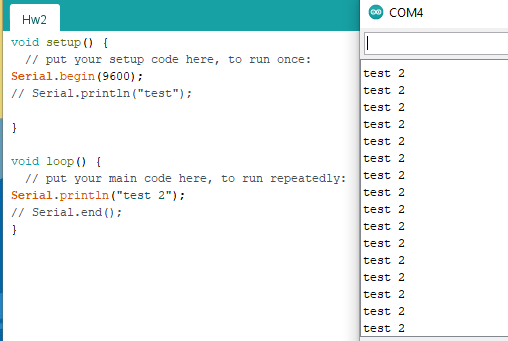 Figure 2: Printing "test 2" using void loop()
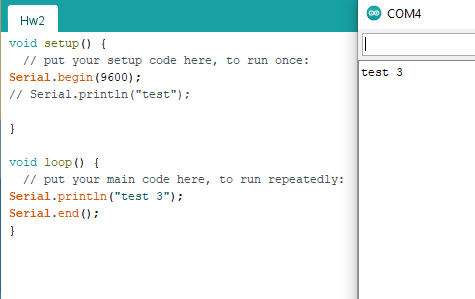 Figure 3: Utilizing Serial.end() funtion to end void loop()
Section 4
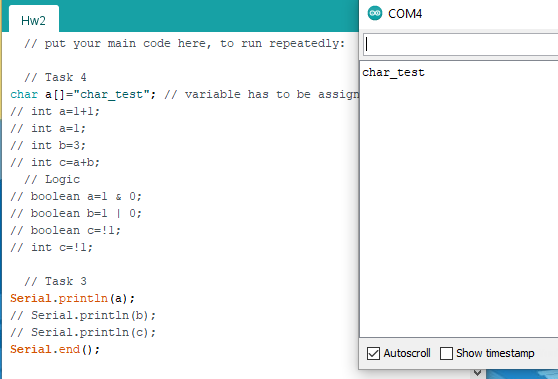 Figure 4: Using char command to display the variable
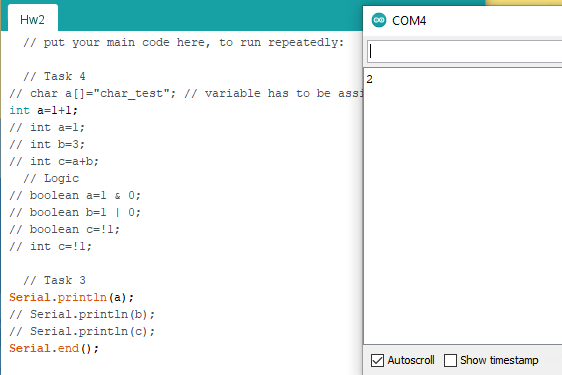 Figure 5: Addition
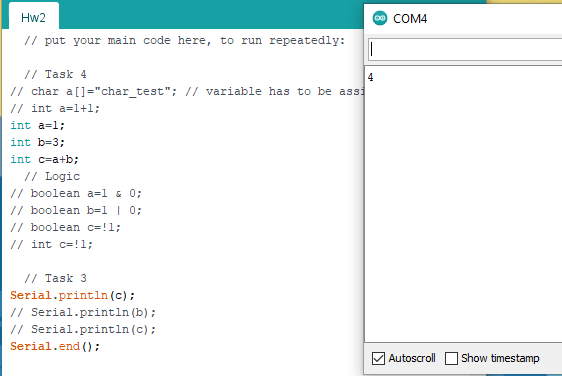 Figure 6: Addition by assigning variables values.
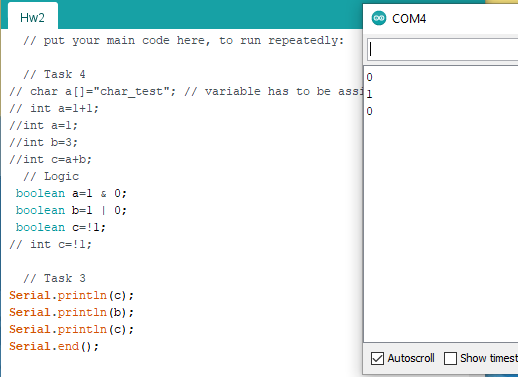 Figure 7: Using boolean
 Figure 8: Changing one of boolean to int
Section 5
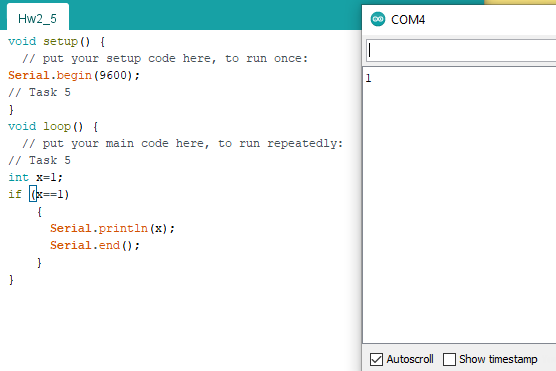 Figure 9: Using if statement to determine if the code should be executed again.
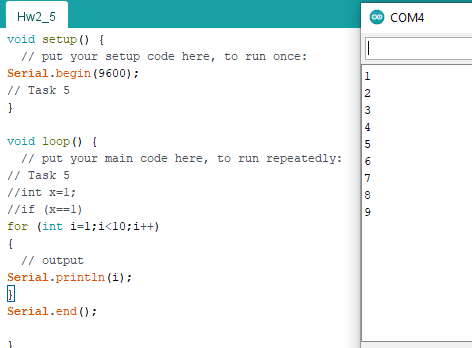 Figure 10: Using a for loop.
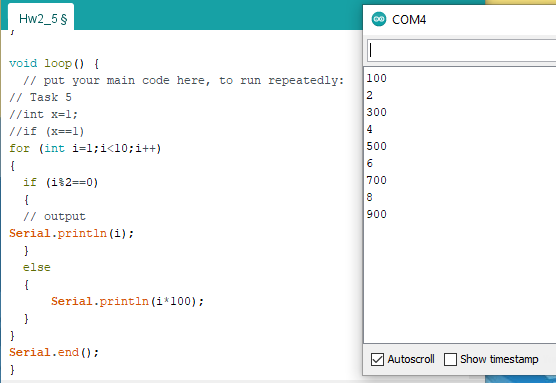 Figure 11: Using both for loop and if statement
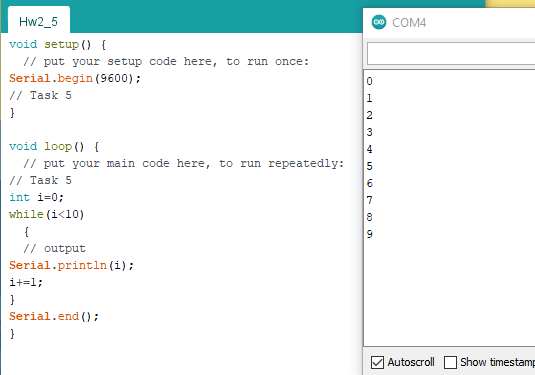 Figure 12: Using a while loop
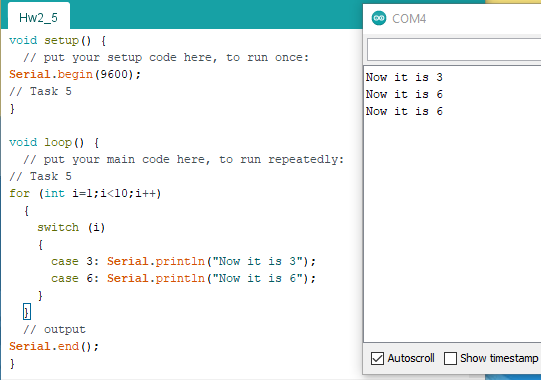 Figure 13: Using switch statement
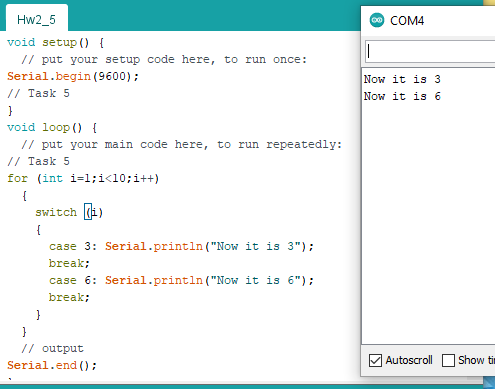 Figure 14: Using switch statement with breaks
Task 2
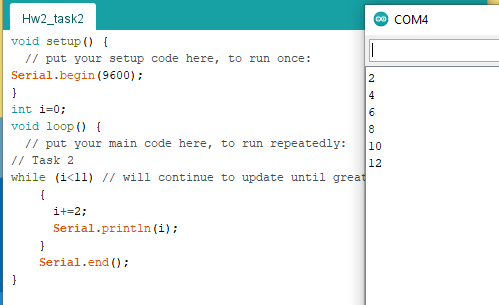 Figure 15: Using while function.
Task 3

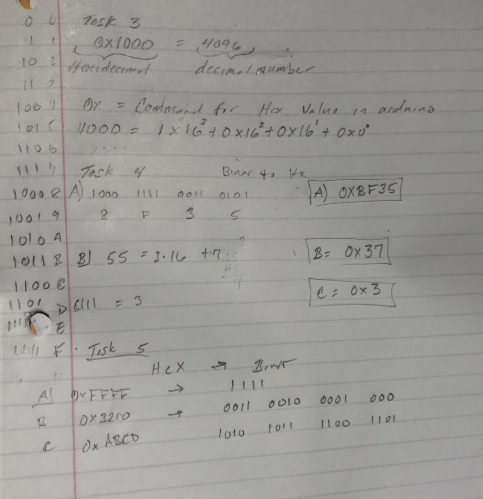 Figure 16: Hand calculations for tasks 3-5 .
5. Discussion
In conclusion Lab 2 was a success and we were able to get the basics of Arduino.